![logo-caplugs.png]](https://support.caplugs.com/hs-fs/hubfs/img/logo-caplugs.png?height=40&name=logo-caplugs.png)
You may have noticed that we recently launched an option for customers to build their own cart and attach a PO file when they check out. This new option is just as easy as emailing in your PO and streamlines the processing of orders.
Qualifications
To upload a PO to our site, you must:
- Have a linked web account
- Have payment terms (Read more about linking payment terms here)
How It Works
Step 1: Go to PO Upload Page
Once logged in to your web account, you will see "PO Upload" in the user dropdown menu.
Step 2: Upload PO File
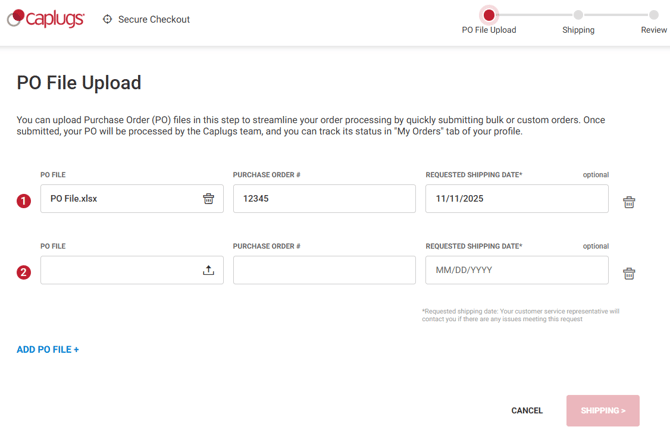
Once on the PO Upload page, you will be able to upload your PO file and add information for the following three fields:
- PO File - Upload your file
- Purchase Order # - Enter your PO #
- Requested Shipping Date - Set date you would like products shipped by
You may also click "ADD PO FILE +" in blue to populate additional lines. You can upload up to five POs with different PO numbers and delivery dates on this page. Click the red "SHIPPING" button once the necessary file(s) and information have been added to fields to fill out shipping information.
Step 3: Enter Shipping Details
Once on the shipping page, enter your desired ship-to address. If you already have an address associated with your account, you can simply select that address. Should you wish to enter a new address, you can click "ADD ADDRESS" and add in the required information. You are then given the option to ship using your own carrier account under "SHIPPING METHOD". When completed, click "CONTINUE TO REVIEW" button.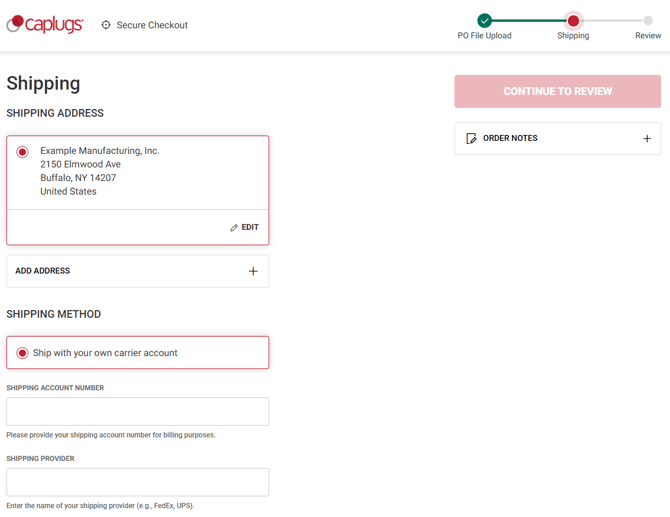
Step 4: Review and Submit Order
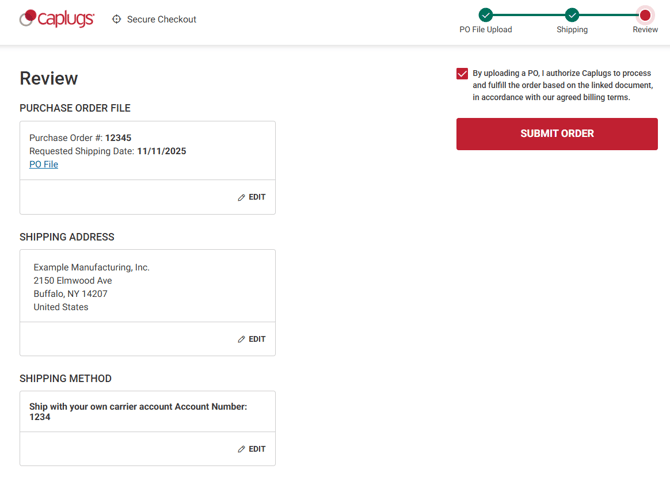
On the final screen, review all PO information including order number, shipping date, shipping address and shipping method. If everything looks good, simply check the disclaimer box to approve Caplugs to process your order in accordance with billing terms and click "SUBMIT ORDER" to complete your checkout. This will create your new web order number(s) and pass them to our team for processing.
It's that easy! Once processed you’ll have the ability to track orders and shipping, look back through your order history and pull copies of old invoices, POs and bills of lading.
Should you have questions while going through setup or when managing your orders online, please contact our customer service team in our easy to use chat in the bottom right corner of our site.